Strong leaders craft a winning strategy in challenging conditions

Take a moment right now and think about a strong leader you know. Someone you truly enjoyed working for. Ask yourself a basic question about this leader. Does she know how to craft a winning strategy in challenging conditions? I bet the answer is yes. Strong leaders win, even in trying times. Now think about a weak leader you know well. Someone you did not enjoy following. Ask yourself the same question. Did he select a winning strategy? Your answer probably changed to no. It is difficult to follow someone who does not know how to win, especially when things get tough. Losing sucks. It always has and always will.
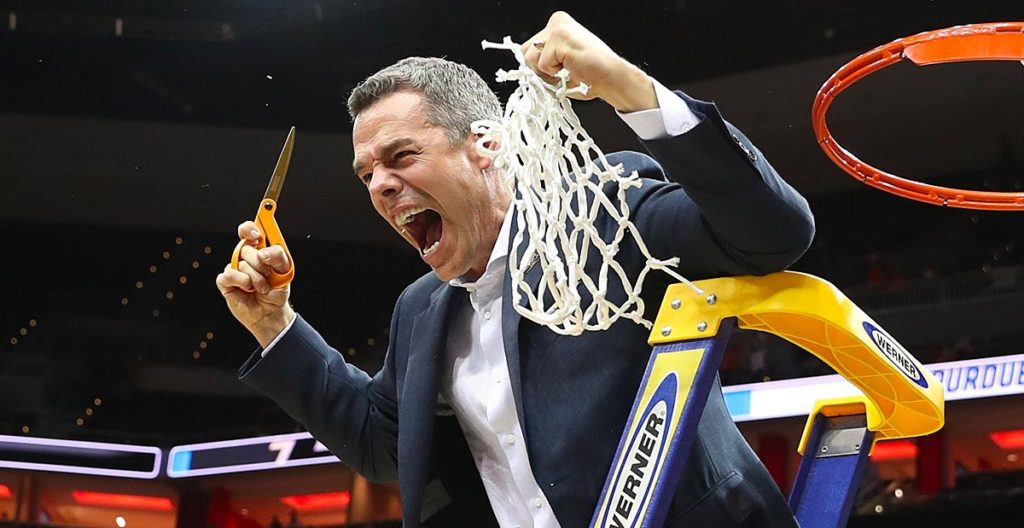
Winning is a great feeling that your team wants to experience.

Strategy is a constant leadership challenge

Strong leaders think strategically on a regular basis. How will my team win today, tomorrow, and the next days after that? Having a winning strategy is a constant challenge that every leader faces. Trust me – your competition is thinking about ways to beat you and your team. You better do the same thing. It is easy to rest on your laurels and fall into the trap of focusing your time and energy as a leader on tactical execution. I call it the “keeping the trains running” mentality. Weak leaders keep their heads down, failing to look at the big picture and over the horizon. Don’t be that kind of leader. Being a strong leader is more important than ever these days.

Complex challenges require leaders with comprehensive solutions to solve them.
Sometimes a leader needs to step back and look at the big picture.

It is a highly competitive marketplace, so strategy is important for success

The business world is a competitive place. I cannot think of many industries that are not highly competitive. If you want to win, you better have a good strategy before your competition eats your lunch. If some days it feels like you are in a brawl at work – it probably is because you are. Let’s face it – the current environment makes it important to have a good strategy. A lot has changed the past year. Strong leaders recognized the need for new strategies to be successful in the modern world and are adjusting accordingly. While others are hoping that things will return to normal (whatever that means), and may not make it much longer.

Everybody has a plan until they get punched in the mouth.

Mike Tyson

Leaders are expected to provide the winning strategy for the team

Let’s pose a simple question – who is responsible for the strategy? Answer – the leader. Sure you are going to get help from others when crafting the strategy. But, if you are the leader, you need to own the strategy for your team. They will expect it, and you need to deliver. Think about it. Who will the team turn to when execution gets tough? The leader – of course. That is why you are there. Strong leaders understand that they are expected to provide the winning strategy for their team. Weak leaders delegate it to others, or simply hope for the best. And we all know by now that hope is not an effective strategy, especially in a competitive market.
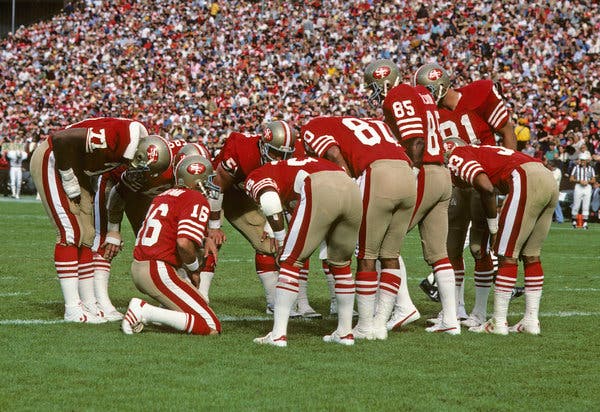
You are the quarterback – call the play!

Picking a winning strategy may be challenging if you have many possible paths in front of you

My last point is somewhat counter-intuitive. I believe picking the best strategy is most difficult when you have many possible options. It is usually pretty easy to pick between two or three options. More than that then you should spend some time analyzing each option before selecting, but don’t take too long. The reason I mention this topic is that I have worked for leaders who were bad at strategy simply because they wasted precious time trying to pick the best path forward. We would spend days, weeks, and months thinking through the options and never commit fully to one. Meanwhile, our competitors selected their strategy and were busy executing it.

Solving problems is a leaders job.
Don’t spend too much time selecting the strategy.

What about you? Do you have a winning strategy?

Are you crafting a winning strategy for your team? Do you spend time thinking strategically with your team on a regular basis? If not, then you have work to do. Don’t worry – All The Way Leadership! is here. The next series of blog posts will focus on strategy formulation.

ATW! is designed to make you a better leader

I hope you join me on this journey to raise the next generation of leaders. The world is in desperate need of more great leaders. Women and men who lead with confidence, clarity, and creativity. It’s time to become the leader that your world needs. Let’s go All The Way!

All The Way Leadership!

The worst mistake leaders make on camera during video calls

This blog is all about the worst mistake that a leader can make on a video call. No, it is not the mute button. Some of you think I am going to say that misusing the mute button is the worst mistake you can make as a leader during a video call. Talking while on mute is a mistake, but it is really not a big deal. All you have to do is come off mute and repeat what you said while muted. Saying something stupid without the mute button on can be bad, really bad. But I believe most leaders are smarter than that and will not fall into that trap.

The most common major mistake leaders make on video calls

Looking bad on camera is the worst mistake you can make as a leader during a video call. Like many of you, I have participated in hundreds of video calls over the past several years. I am amazed at how many leaders show up on the call looking bad, really bad in some cases. It makes me wonder if they thought at all about what others would see when they turned on their camera. I believe it is better to keep your camera off than to show up looking like you just rolled out of bed. Your team deserves better than that. There are several problems that cause a leader to look bad on camera.

Problem #1 — Awkward camera angles

Let’s start with your camera. Have you positioned it well? Or does your team get to experience seeing you at awkward angles? Below is a short list of the most common camera angles mistakes:

  1. Too far away — you look tiny in the frame.
  2. Way too close — everyone gets to see all the wrinkles on your face.
  3. Too low — your team gets to see if you groomed your nostrils.
  4. Not centered — you are in the frame, but nowhere near the center.
  5. Side angle — people prefer to see your face, not the side of your head.

Problem #2 — Distracting background

Besides your smiling face, what else does your team get to see during your video calls? What kind of background is behind you that will show up on camera? I highly recommend you use a custom background if you can. Both Zoom and Microsoft Teams allow you to do this. This functionality not only looks better, but it also hides what is going on behind you. Trust me — this cloaking can prevent gaffes if someone shows up unexpectedly behind you. If you cannot use a custom background, spend a little time making sure that your home office is not distracting to others. I am not an interior decorator, so I don’t have an expert opinion. In general, less seems better to me. Yes — it is okay to select a custom background that matches who you are.

Problem #3 — Improper lighting

Lighting can be tricky. Too much light and you look like a ghost. Not enough light, and no one can see you. I recommend investing some time and money into configuring your office so that the lighting works well for you. I actually invested in a ring light kit. It costs less than $100. I felt a little silly when I bought it, but I thought it was worth trying out. It makes a big difference. I use the light for all my video calls that I take from home nowadays. It works really well and is both portable and adjustable.

Problem #4 — Poor audio quality

It is completely annoying when you cannot hear clearly what someone is saying during a video call. Poor audio quality is usually due to a bad connection or lackluster equipment. Once again, I recommend spending a little money to make sure your audio quality is good. I am a big fan of using headphones for video calls. I bought a Bose pair of noise-canceling headphones that I wear for all my calls. They were expensive but well worth the investment. A good microphone will also do the trick.

Problem #5 — Improper choice of attire

I am not here to be your fashion advisor. Rather, I recommend that you show up on your video calls dressed appropriately for the setting and in line with your organization’s culture. Of course, what is appropriate will vary greatly. When in doubt, be conservative. If you want to be taken seriously, dress the part — don’t show up in a hoodie and baseball cap. For heaven’s sake, don’t show up in a robe or your pajamas for a business call. Remember — your customers will get a visual impression based on how you dress. I have been surprised by how informal some people are on camera. Lastly, I recommend you dress your age. No one wants to see someone like me trying to act like I am back in my 20s.

Fix this mistake before worrying about others

Sure — there are many other problems a leader may experience on a video call. Those don’t matter much until after you tackle this one. Trust me — no one will remember if you accidentally talked while on mute. But they will remember if you showed up looking bad, wondering what in the world happened to you that day. Avoid making this easily fixed mistake.

First impressions matter. Experts say we size up new people in somewhere between 30 seconds and two minutes.

Elliott Abrams

What about you?

How are you showing up on camera these days? If you are looking good, keep it up. If not, do the work required. I know it sounds trivial. However, it is worth investing a little time to show up strong. Remember the camera captures everything, and so will your team members.

ATW! is designed to make you a better leader

I hope you join me on this journey to raise the next generation of leaders. The world is in desperate need of more great leaders. Women and men who lead with confidence, clarity, and creativity. It’s time to become the leader that your world needs. Let’s go All The Way!

All The Way Leadership!

Another practical tip to help avoid on camera confusion during video calls

Here is another practical tip to avoid on-camera confusion during your next video call. If it is your meeting, actively facilitate the call. Don’t expect the participants to know what to do during your calls.

Communicating effectively on-camera is challenging for groups

In case you did not read the last two blogs, let’s start with the hard truth first — it is challenging to communicate effectively on-camera, especially in group settings. Three common scenarios happen during many video meetings that can create communication challenges.

  1. Awkward: someone said something completely inappropriate (e.g., yelled at their kids) that everyone heard. What do you do next?
  2. Boredom: No one is talking because they are distracted and not paying attention. Hard to get stuff done if everyone is zoned out.
  3. Confusion: multiple people talking at the same time. Hard to hear, let alone understand, what is being said when this happens.

What can you do to improve your performance during video calls?

I already shared the most practical tip I can give you to be better on-camera: turn on your camera as much as possible. I did my best to convince you that the mute button is your friend and will help you avoid awkward gaffes. Last month, I shared the third tip — have a purpose and agenda for your call. This month, I will discuss the importance of facilitating your calls so that they do not devolve into confusion. Facilitation is a common technique to maximize participation for in-person meetings. Use it on your video calls for the same reason.

Video calls are harder to start than standard conference calls

I believe it is more difficult to start a video call than a standard teleconference call. For a voice-only conference call, you can normally bring everyone onto the line at the same time. Most platforms will usually give an audio indicator (e.g., beeps) when a participant joins. It is easy to kick off by simply announcing your name and beginning the meeting. The first few minutes of a video call can be confusing. Participants usually join at different times. Some of them will use their cameras, others won’t. Some may announce their presence or say hello when they join. Others will say nothing at all. It is rare that everyone is ready to go right away. If it is your meeting, start facilitating when you join. Let everyone know when you will start the conversation, and then announce that it is time to begin.

Start your video call on a strong note to avoid confusion

Kick off your call by explaining the purpose to everyone. Everyone on the call will appreciate being given a clue about what will happen during the meeting. This tactic is particularly appropriate for one-off video discussions. If the participants do not meet on a regular basis, it is your job as the leader to explain why the meeting was scheduled and what you hope to achieve during the call. No need to spend ten minutes explaining the purpose — a simple explanation will do.

Facilitate the video call so that others can follow along

If it is your meeting, facilitate the video call so that others can follow along. At a minimum, let everyone know the agenda and the general flow that you expect during the call. Guide the discussion to ensure that all the topics on the agenda are covered, and you get the right amount of input from the participants. Don’t expect others to know the right time to chime in. If you are using slides for the discussion, pause at the appropriate time to let others make comments, ask questions, and provide their feedback. Your calls will get boring quickly if one presenter drones on and on while others struggle to pay attention. Monitor your audience to recognize when they want to contribute to the meeting. Participants may not feel comfortable talking, so you may need to ask them for their input. This challenge is particularly true for video calls with many participants.

Consider the number of video call participants when facilitating

Bottom line — the larger the number of participants on your call, the more challenging it is to facilitate. Plan accordingly. Anytime you have more than ten people on a call, it may be difficult to guide a meaningful discussion. Three tactics to help with larger meetings. First, use verbal cues to let participants know when you want to hear from them. If you pause for input, leave plenty of time for people to come off mute and talk. Sure, the seconds of silence may seem awkward. But it is better to provide a pregnant pause than rush to the next topic. Second, avoid trying to pack too many agenda items into one meeting. It is really difficult to fly through a long agenda with a large group. Consider breaking the agenda into multiple meetings, or reducing the size of the audience if you want their participation. Third, leave a dedicated portion of the meeting for inputs from the audience. I have sat through many video calls that are scheduled for an hour and leave little time for Q&A. For example, don’t let presenters talk for 55 minutes straight and then try to power through five minutes of questions. Instead, stop the presentation at 45 minutes and leave 15 minutes for interactive dialogue. Trust me — your participants will appreciate it.

The chat function can help avoid confusion during discussion

Another technique to help facilitate video calls is to use the chat function that many modern collaboration tools provide. At first, I was skeptical of using live chat during a video call. Now I am a big fan. It is an effective way to add another communication channel without disturbing the meeting flow. Simply let everyone on the call know that you will be using the chat function during the session. Chat allows participants to chime in without interrupting a presenter or talking at the same time as others. They simply type their input for others to see. The chat function is also a clever way to facilitate Q&A during a presentation. Participants can type in their questions during the session. Others can sometimes answer the question without taking airtime during the call. They simply respond to the chat.

Finish on time to prevent confusion at the end of the video call

If your call goes longer than planned, confusion may happen at the end. Most participants will not hang around if the meeting goes past its scheduled finish time. No — they will drop from the call and move onto their next activity. If several participants leave at the same time, chaos may follow as you try to figure out who is still on the call. I don’t even consider it rude if someone drops from a call because it goes long. Avoid this scenario by being a better leader. End your call on time, or even early if you are done with the agenda. I cannot recall a single instance in my career when someone complained because a meeting was shorter than scheduled.

Last word of warning

Like many leaders, I have participated in hundreds of video calls over the past few years. Some of them were really productive, while others were a complete waste of time. The ones I enjoy the most start on time, have a clear purpose and agenda, and are actively facilitated. The result is a meaningful dialogue with the participants. Be the type of leader who hosts those kinds of video calls. Not the ones that are awful, where everyone watches the clock hoping that the call will end soon. If your video conference calls are torture, participants will vote with their feet and stop showing up to your meetings. They have better things to do than watch you flounder on camera.

ATW! is designed to make you a better leader

I hope you join me on this journey to raise the next generation of leaders. The world is in desperate need of more great leaders. Women and men who lead with confidence, clarity, and creativity. It’s time to become the leader that your world needs. Let’s go All The Way!

All The Way Leadership!

What big changes at work do all leaders need to understand in the post-pandemic world?

I am writing a blog series about becoming a strong leader in the post-pandemic world. First I asked, Are you ready to be a strong leader in the post-pandemic world? In my last blog, I continued the conversation by listing many bold predictions that did not come to fruition in the post-pandemic world. For this blog, I will discuss three big work-related changes that all leaders need to understand to be successful in the post-pandemic world.

Work-related changes according to ChatGPT

First, let me have my new research assistant, ChatGPT, list the big work-related changes that came true during the pandemic. I checked the results and they seemed accurate to me.

  1. Remote Work: One of the most notable changes has been the widespread adoption of remote work. Many companies transitioned to remote work models to comply with social distancing measures. Even as the pandemic has subsided in some areas, remote work remains prevalent, as businesses recognize its benefits in terms of flexibility, reduced overhead costs, and access to a broader talent pool.
  2. Digital Transformation: The pandemic accelerated digital transformation efforts across industries. Companies invested in technologies and tools to support remote work, enhance online customer experiences, and streamline internal operations. E-commerce, online services, and digital communication platforms saw significant growth.
  3. Hybrid Work Models: Many organizations have adopted hybrid work models, allowing employees to split their time between working remotely and in the office. This approach provides flexibility while maintaining some in-person collaboration.
  4. Emphasis on Health and Safety: Workplace safety and hygiene became paramount. Companies implemented new health protocols, redesigned office layouts, and invested in sanitation measures to ensure the well-being of employees.
  5. Expanded Use of Collaboration Tools: Collaboration and communication tools like Zoom, Microsoft Teams, and Slack saw a surge in usage. These tools have become essential for virtual meetings, project management, and team collaboration.
  6. Rethinking Office Space: Some companies downsized or reimagined their office spaces to accommodate fewer employees at any given time, create more collaborative areas, and prioritize safety measures.

ChatGPT concluded that these changes have reshaped the work environment, emphasizing adaptability, technology, and employee well-being. Many of these trends are likely to continue shaping the future of work as businesses evolve and respond to ongoing challenges and opportunities. I agree with my new research assistant.

Working from home became the new normal for many people.

Three pandemic work-related changes

ChatGPT listed 15 big changes, but that is way too many for this blog. Rather I am going to focus on three big pandemic work-related changes. They are listed and briefly described below. I believe leaders must realize these changes happened and are probably here to stay. I could be completely wrong in my prediction, but I recommend you do not ignore the following three changes.

  1. Many companies reduced their workforce – the pandemic hit most industries hard. In response companies in those sectors most affected like travel, hospitality, and entertainment were forced to reduce their workforce. It was a tough time for many.
  2. More people worked from home – due to COVID restrictions, organizations were not allowed to have their employees in the office. Many companies pivoted, allowing their staff to work from home full-time. It was a first for me, perhaps you too.
  3. Productivity tools were enhanced – we saw a boom in productivity tools like Zoom, MS Office, and others during the pandemic. With so many people working from home, high-tech companies rolled out new features, capabilities, and functionality.
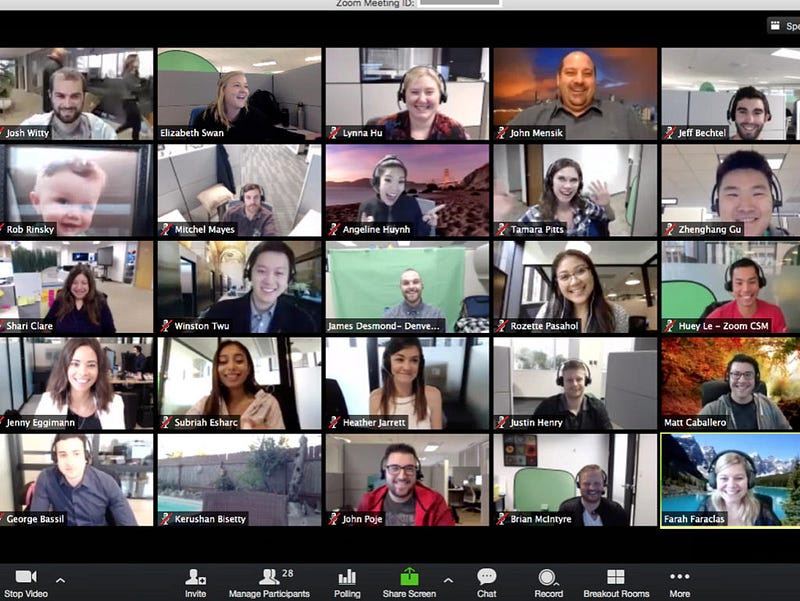
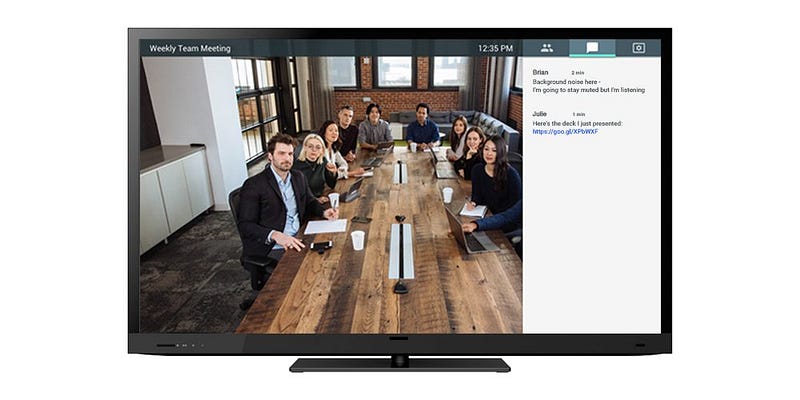
Video meetings are much more common these days.

Three post-pandemic work-related challenges

These changes are not inherently bad. Many people would agree that changes #2 and #3 are good things. However, these shifts created correlated challenges in the post-pandemic world that leaders will need to address. Below are the related challenges.

  1. Fewer people and resources to get the job done. Some organizations are back to full strength, but many have not fully recovered. They are still short-staffed.
  2. More video engagement and group collaboration. With so many people still working from home video communications has become the new norm for many organizations. Video technology is much better now, but there are still challenges.
  3. More opportunities to automate routine work. It is amazing all the automation that is available to organizations and their leaders to leverage these days. Automation can be a double-edged sword if not handled with forethought about impacts. I do not see this challenge going away any time soon with the rapid rise of AI in the workplace.

Things simply are not the same as pre-pandemic, and strong leaders will make adjustments accordingly. I believe that brighter days are ahead for many leaders and their organizations as they navigate the post-pandemic world.

I will cover all three challenges in detail

In the next several blog posts I will do a deep dive into each of these challenges, along with sharing tools and tips for how to handle the impacts they caused. We have a lot to unpack. As always I look forward to the conversation and hearing others’ perspectives about how to be a strong leader in the post-pandemic world.

Change is the province of leaders. It is the work of leaders to inspire people to do things differently, to struggle against uncertain odds, and to persevere toward a misty image of a better future.

James M. Kouzes, The Leadership Challenge: How to Make Extraordinary Things Happen in Organizations

ATW! will make you a better leader

I hope you join me on this journey to raise the next generation of leaders. The world is in desperate need of more great leaders. Women and men who lead with confidence, clarity, and creativity. It’s time to become the leader that your world needs. Let’s go All The Way!

All The Way Leadership!

What bold predictions did not come to fruition in the post-pandemic world?

I drove home wondering when I would return to the office next. It was March 2020 and the pandemic was beginning. No big deal I thought to myself. It will probably last a few weeks at most. My prediction was off by years. In retrospect, it is embarrassing to acknowledge how clueless I was at the time. Like most people, I greatly underestimated the scale and complexity of the COVID-19 crisis. How were any of us supposed to know what would happen as this global debacle played out? Significant changes were coming fast and furious. The best most of us could do was try to maintain an optimistic outlook during this devastating disaster while making predictions about what would happen next.

No one anticipated the global impact of the COVID-19 crisis.

We were in unchartered waters

Big challenges were around the corner for the entire world to navigate. There were no easy answers or simple solutions. No – it would take years of effort to get past the pandemic. Leaders did their best to display confidence despite the fact that they were completely naive regarding what would happen the next day. The amount of uncertainty all of us faced was enormous. We simply did not know.

Navigating uncharted waters is precarious.

Significant changes happened during the pandemic

In this blog series, I am writing about becoming a strong leader in the post-pandemic world. In my last blog, I asked, Are you ready to be a strong leader in the post-pandemic world? If you are, then it is time to discuss the big changes that occurred during the COVID-19 crisis. The reality is that many things changed during the pandemic, but not everything did. Let’s start by separating fact from fiction. Many predictions made during the crisis did not come to fruition.

Meet my new research assistant – ChatGPT

I have been tinkering with ChatGPT. It is an innovative technology, and a game-changer in many ways. One thing that Chat GPT does well is help me with researching a new topic. It is far from perfect and sometimes not particularly precise, much less accurate. Nonetheless, ChatGPT accelerates my ability to learn quickly about a topic. Therefore, I will be using this tool as my new research assistant for this blog. I will do my best to highlight when I am leveraging ChatGPT to generate content.

ChatGPT is a helpful tool for research.

Ten pandemic predictions that did not become reality

Many people made presumptive predictions about the pandemic that did not happen. I cannot recount them all, so I asked my new research assistant, ChatGPT, to list ten pandemic predictions that did not become reality. Below is the unedited list. I agree with all of them. Number ten is particularly disappointing. I was naively hoping that the pandemic would make the world a better place. It did not.

  1. Quick Resolution: Initially, some experts and public figures hoped that the pandemic would be a short-lived crisis that could be resolved in a matter of weeks or months. This turned out to be overly optimistic.
  2. Herd Immunity Through Infection: Early in the pandemic, there were discussions about achieving herd immunity through natural infection rather than vaccination. This idea was largely abandoned due to the high human cost it would entail.
  3. Summer Respite: Some initially believed that warmer weather would naturally slow down or halt the spread of the virus, similar to the seasonal flu. However, the virus continued to spread throughout the summer months in various countries.
  4. Universal Effectiveness of Lockdowns: Early in the pandemic, it was thought that strict lockdowns would quickly and effectively curtail the spread of the virus. While lockdowns did have an effect, the virus often rebounded, leading to multiple waves of infection in many places.
  5. Low Impact on Children: Initially, it was believed that children were largely unaffected by COVID-19. While it’s true that children generally experience milder symptoms than adults, they can still spread the virus, and some have suffered from severe outcomes, including a condition known as multisystem inflammatory syndrome in children (MIS-C).
  6. Immunity Duration: There were hopes that once a person recovered from COVID-19, they would have long-lasting immunity. While there is some immunity post-recovery, it has been found to be variable and generally not as robust or lasting as initially hoped, especially in the face of emerging variants.
  7. One-Size-Fits-All Vaccine: Initially, there was hope for a single, universally effective vaccine. While vaccines have been developed and are effective, there are multiple types, each with varying levels of efficacy against different strains.
  8. Unaffected Rural Areas: It was once believed that COVID-19 would primarily be an urban problem and that rural areas would be largely unaffected. However, the virus spread to rural communities as well.
  9. Superspreader Events Only: Early on, there was a perception that only large gatherings would be superspreader events. As it turns out, the virus can and does spread in smaller gatherings and even in one-on-one settings.
  10. Global Cooperation: There was a hopeful sentiment that the pandemic would foster unprecedented global cooperation. While there has been collaboration, there have also been significant challenges in terms of vaccine distribution, information sharing, and travel restrictions.

Three work-related predictions that did not happen

Also, several business leaders, analysts, professors, and others made bold predictions about what workplace changes we would experience during the pandemic. Similarly, many of these future forecasts did not come to fruition. Below I list three specific ones that I honestly believed were plausible at the time. I am really glad the first one did not happen given all the uncertainty we faced a few short years ago.

  1. Global economic meltdown – some people predicted that the pandemic would trigger a worldwide economic meltdown. COVID-19 impacted almost every industry, some in hugely negative ways. But, we did not experience a global depression due to the concerted efforts of many people, including national governments.
  2. Four-day work week – after so many employees were sent home some optimists predicted that many organizations would implement a four-day work week. Unfortunately, this did not happen for most companies. Some have experimented with this concept and made changes, but the five-day workweek is still the norm.
  3. Collapse of coworking spaces – many people believed that when they went home to work during the pandemic they might never return to the office. Some companies dreamed about the potential cost savings getting rid of office space would generate. Fast forward to now and many people are back in the office. Some organizations still debate this topic today. From my perspective – hybrid solutions will prevail.
Sadly the four-day workweek did not become a reality.

Several predictions did come true

In this blog, I covered changes that did not happen during the pandemic. Next time, I will identify several predictions that did come true with a focus on the workplace so that leaders can prepare themselves properly for the impacts these changes are making in the post-pandemic world.

ATW! will make you a better leader

I hope you join me on this journey to raise the next generation of leaders. The world is in desperate need of more great leaders. Women and men who lead with confidence, clarity, and creativity. It’s time to become the leader that your world needs. Let’s go All The Way!
All The Way Leadership!

The most important lesson I learned with the US Army Paratroopers

Recently I was asked at work to share my perspective as a veteran. The presentation I gave described the most important lesson I learned serving with paratroopers. It received a fair amount of positive feedback. Therefore, I thought it would be useful to share the content here.

This video includes the presentation I gave at work.

My family is full of paratroopers

I spent over a decade serving as an Officer in the US Army. I learned a lot in the Army, especially during my first tour with the 82nd Airborne Division. The division was created in World War I. It is a famous unit with a storied history. It also has a special place in my family’s heritage. My father served in the 82nd Airborne after graduating from West Point. It was his first duty assignment as an Infantry Officer. He reported to Fort Bragg in 1956.

My father served multiple tours at Fort Bragg, North Carolina.

I followed in my father’s footsteps

Many years later I followed in my father’s footsteps. I joined the 82nd in 1991 as an Infantry Officer. My first assignment was as a rifle platoon leader in Bravo Company, 1/325 Airborne Infantry Regiment. After that role, I transferred to the Signal Corps and joined the 82nd Signal Battalion. I served as a Signal Node Platoon Leader and Division Assault Command Post Platoon Leader. Yes – I was a platoon leader three different times. I finished my time at Bragg as a Company Executive Officer.

Photo from my promotion ceremony circa 1994.

Leaders jump first, then other paratroopers follow

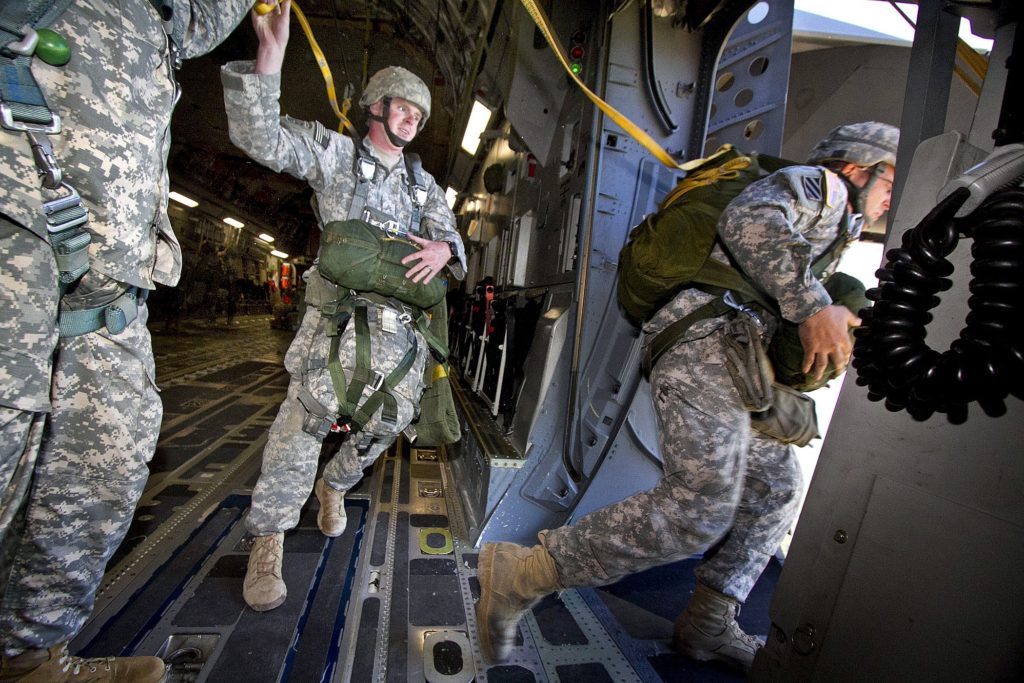
Lesson one – leaders go out the door first. The 82nd has a unique culture, full of traditions that have been created over the years. One tradition regarding their leaders is that they jump first during airborne operations. This tradition started back in WWII. What does that mean – leaders jump first. The most senior leader of any airborne operation will go out the door first, before anyone else. For example, if the Commander of the 82d (a two-star general) is part of a jump, he will jump first followed by the rest of the paratroopers.

Leaders jump first to show their commitment to the mission.

This tradition dates back to World War II

During WWII legendary commanders like Matthew Ridgway and James Gavin jumped and fought alongside their paratroopers. No cushy office for them. This act is not one of privilege, but rather of leadership in action. This tradition visibly shows all the paratroopers in the plane that you are willing to lead them by going first. The 82nd expects danger when they jump into combat. Its leaders are expected to face this danger first. This tradition demonstrates that the leaders are willing to do what they are asking their followers to do. It is a powerful way to show others that I am with you and fully committed, just like you.

General James Gavin getting ready to jump
General James Gavin getting ready to jump before Normandy.

A personal example of this lesson from my time with paratroopers

I learned this lesson firsthand while serving as the Division Assault CP Platoon Leader. My platoon’s mission was to support the Division Command Group with communications capabilities. We jumped in the radio equipment that the Division Commander and other senior leaders used on the drop zone during airborne operations. Many times we jumped from the same plane as the Commander. He would go out the door first, followed by his Aide, and then members of my platoon. For larger airborne operations that involved many planes, my platoon would be split into small groups and jump from several different aircraft. We would be one of the first to leave the plane so that we could land near the command group members.

Mike Steele - 82nd Airborne Division Commander. He served with my father in Vietnam.
Mike Steele – 82nd Airborne Division Commander that I supported. Great man. He served with my father in Vietnam.

Jumping into Puerto Rico was an adventure

I remember one mission where jumping first was somewhat troubling to me. For this operation, we were jumping into Puerto Rico. The drop zone was not big so we jumped from C-130s. The Division Commander was on the first airplane. I was on the second plane and would be the first jumper from that aircraft. Everything en route went fine. As we approached Puerto Rico, the Jumpmaster gave me the command to “stand in the door”. That means I am positioned in the door, waiting for the jump light to turn green. When it does, you jump.

A paratrooper jumping out of a perfectly good airplane.

Waiting can feel like an eternity

Usually, you stand in the door for less than 30 seconds. As you stand in the door of a C-130 you can see out of the aircraft. When I looked out I noticed a potential problem – all water, no land. I am a good swimmer, but I certainly did not want to experience a water landing. I peered at the jump light – it was still red. Thank God. I watched and waited, hoping that the light would not turn green until we were over land. I kept waiting for what seemed like an eternity.

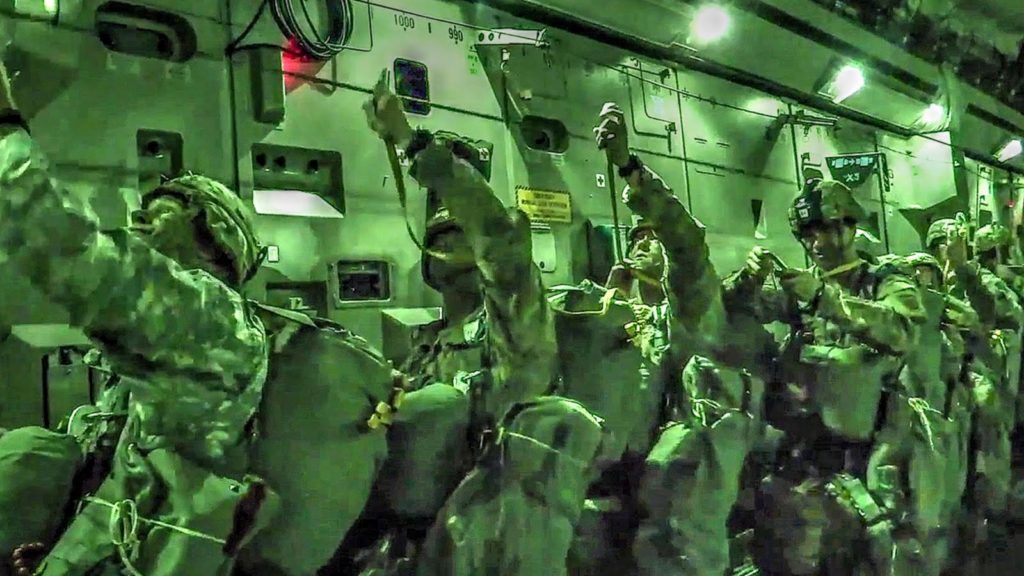
Jumping at night can be particularly frightening.

Paratroopers jump when the light finally turns green

Eventually, I saw the land, then the drop zone, and finally the green light. I jumped, followed by my fellow paratroopers. What I learned later was that the jumpmasters decided to put the first jumpers in the door earlier than normal because there was real concern that all the jumpers would not be able to exit the aircraft in time. After all, the drop zone was so small. They did not want any paratrooper to miss the drop zone and have to ride back to Fort Bragg.

Paratroopers with the 82nd Airborne jump from C-130 Hercules aircraft during a mass-tactical airborne training exercise which included over a thousand paratroopers. (U.S. Army photo by Sgt. Michael J. MacLeod)
82nd paratroopers jump from C-130 Hercules aircraft during a mass-tactical airborne training exercise which included over a thousand paratroopers. (U.S. Army photo by Sgt. Michael J. MacLeod)

Reflecting on the lesson I learned during this operation

After the operation was complete I thought to myself what would have happened if the light had turned green while we were still over water. I knew the answer – I would have jumped. I would have done what paratroopers have been trained to do for decades. The light turns green, and then you jump. I could not turn to the paratrooper behind me and say why don’t you go first, it looks kind of dangerous with all that water.

Jumping into an airfield can also be dangerous – lots of pavement.

Leading from the rear is not an option

No – I had been trained as a leader in the 82d that you jump first, and deal with whatever happens next. You lead from the front, not from the rear. That lesson has served me well in many other situations. Sometimes when I find myself in a somewhat scary situation I think of my days in the 82nd, and what it taught me as a leader. You go out the door first.

The reality is that the only way change comes is when you lead by example.

Anne Wojcicki

Are you ready to go out the door first?

What about you? Are you ready to go out the door first? Are you fully committed to the mission of the team you lead? I hope so. If you are committed and competent others will follow you. If for no other reason than to see what happens. Not that kind of leader? Don’t be surprised if your team members are reluctant to follow you. None of us like working for someone who does not lead by example. Don’t be that guy. Instead, be the kind of leader who goes out the door first.

The place for a general in battle is where he can see the battle and get the odor of it in his nostrils. There is no substitute for the general being seen.

General James Gavin, 82nd Airborne Division Commander during WWII

ATW! is designed to make you a better leader

I hope you join me on this journey to raise the next generation of leaders. The world is in desperate need of more great leaders. Women and men who lead with confidence, clarity, and creativity. It’s time to become the leader that your world needs. Let’s go All The Way!

All The Way Leadership!

The worst mistake a leader can make on a video call

Wow – the COVID crisis continues with no clear end in sight. I am spending more time in the office these days, but that may soon come to an end if the number of COVID cases continues to rise. I will likely be spending even more hours on video calls, like many leaders. Today I am going to talk about the worst mistake that a leader can make on a video call. Don’t do this.

COVID cases are on the rise again.

No – it is not the mute button

Some of you think I am going to say that misusing the mute button is the worst mistake you can make as a leader during a video call. Talking while on mute is a mistake, but it is really not a big deal. All you have to do is come off mute and repeat what you said while muted. Saying something stupid without the mute button on can be bad, really bad. But, I believe most leaders are smarter than that and will not fall into that trap.

Use the mute button when not talking.

The most common major mistake leaders make on video calls

Looking bad on camera is the worst mistake you can make as a leader during a video call. Like many of you, I have participated in hundreds of video calls this year. I am amazed at how many leaders show up on the call looking bad, really bad in some cases. It makes me wonder if they thought at all about what others would see when they turned on their camera. I believe is it better to keep your camera off than it is to show up looking like you just rolled out of bed. Your team deserves better than that. There are several problems that cause a leader to look bad on camera.

Yes – wear pants during your video calls.

Problem #1 – Awkward camera angles

Let’s start with your camera. Have you positioned it well? Or does your team get to experience seeing you at awkward angles? Below is a short list of the most common camera angles mistakes:

  1. Too far away – you look tiny in the frame.
  2. Way too close – everyone gets to see all the wrinkles on your face.
  3. Too low – your team gets to see if you groomed your nostrils.
  4. Not centered – you are in the frame, but nowhere near the center.
  5. Side angle – people prefer to see your face, not the side of your head.
This video goes much deeper about this topic.

Problem #2 – Distracting background

Besides your smiling face, what else does your team get to see during your video calls? What kind of background is behind you that will show up on camera? I highly recommend you use a custom background if you can. Both Zoom and Microsoft Teams allow you to do this. This functionality not only looks better, but it also hides what is going on behind you. Trust me – this cloaking can prevent gaffes if someone shows up unexpectedly behind you. If you cannot use a custom background spend a little time making sure that your home office is not distracting to others. I am not an interior decorator, so I don’t have an expert opinion. In general, less seems better to me. Yes – it is okay to select a custom background that matches who you are.

I use a UVA background some days since it is my alma mater.

Problem #3 – Improper lighting

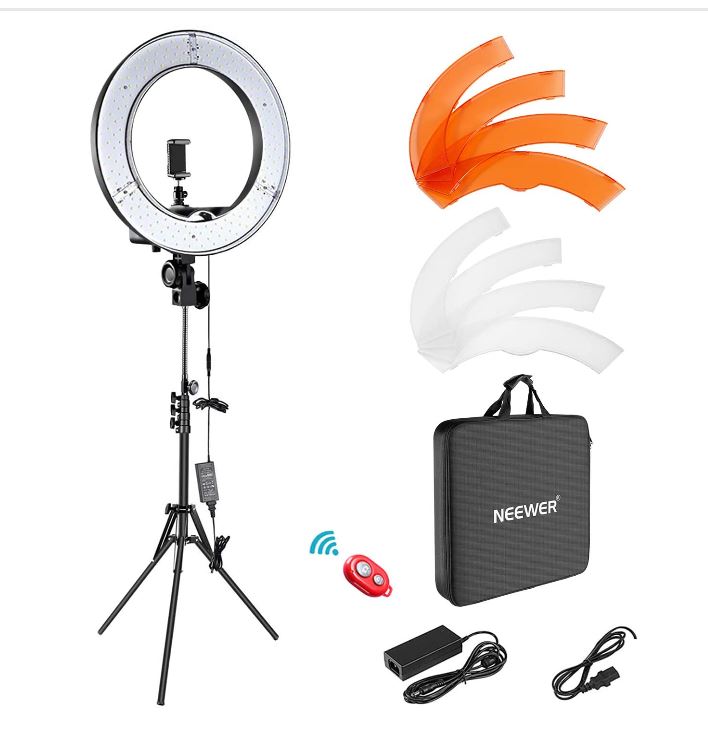
Lighting can be tricky. Too much light and you look like a ghost. Not enough light and no one can see you. I recommend investing some time and money into configuring your office so that the lighting works well for you. I actually invested in a ring light kit. It costs less than $100. I felt a little silly when I bought it, but I thought it was worth trying out. It makes a big difference. I use the light for all my video calls that I take from home nowadays. It works really well and is both portable and adjustable.

I use this lighting system for my video calls.

Problem #4 – Poor audio quality

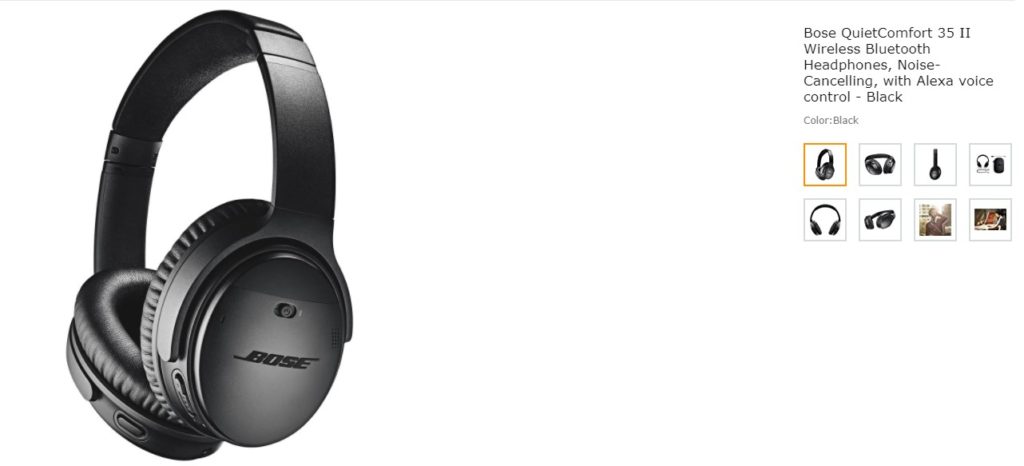
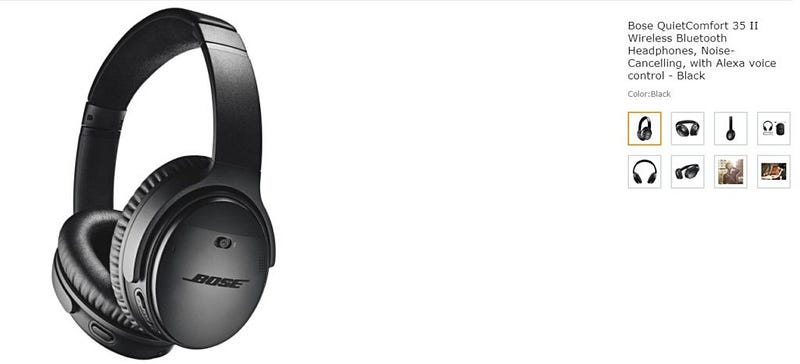
It is completely annoying when you cannot hear clearly what someone is saying during a video call. Poor audio quality is usually due to a bad connection or lackluster equipment. Once again, I recommend spending a little money to make sure your audio quality is good. I am a big fan of using headphones for video calls. I bought a Bose pair of noise-canceling headphones that I wear for all my calls. They were expensive but well worth the investment. A good microphone will also do the trick.

These headphones work well for my video calls.

Problem #5 – Improper choice of attire

I am not here to be your fashion advisor. Rather I recommend that you show up on your video calls dressed appropriately for the setting, and in line with your organization’s culture. Of course, what is appropriate will vary greatly. When in doubt be conservative. If you want to be taken seriously dress the part – don’t show up in a hoodie and baseball cap. For heaven’s sake – don’t show up in a robe or your pajamas to a business call. Remember – your customers will get a visual impression based on how you dress. I have been surprised by how informal some people are on camera. Lastly, I recommend you dress your age. No one wants to see someone like me trying to act like I am back in my 20s.

This article includes some good tips regarding attire for calls.

Fix this mistake before worrying about others

Sure – there are many other problems a leader may experience on a video call. Those don’t matter much until after you tackle this one. Trust me – no one will remember if you accidentally talked while on mute. But, they will remember if you showed up looking bad, wondering what in the world happened to you that day. Avoid making this easily fixed mistake.

First impressions matter. Experts say we size up new people in somewhere between 30 seconds and two minutes.

Elliott Abrams

What about you?

How are you showing up on camera these days? If you are looking good – keep it up. If not, do the work required. I know it sounds trivial. However, it is worth investing a little time to show up strong. After all, you used to do this every day before COVID when we worked in offices. Why stop now? Remember the camera captures everything, and so will your team members.

Dress the part – don’t be too informal.

ATW! is designed to make you a better leader

I hope you join me on this journey to raise the next generation of leaders. The world is in desperate need of more great leaders. Women and men who lead with confidence, clarity, and creativity. It’s time to become the leader that your world needs. Let’s go All The Way!

All The Way Leadership!

Another practical tip for a successful video call – the mute button

The global COVID crisis continues with no end in sight. It is becoming increasingly important that leaders communicate effectively during video calls and meetings. To help you, I am going to share another practical tip for a successful video call – the mute button.

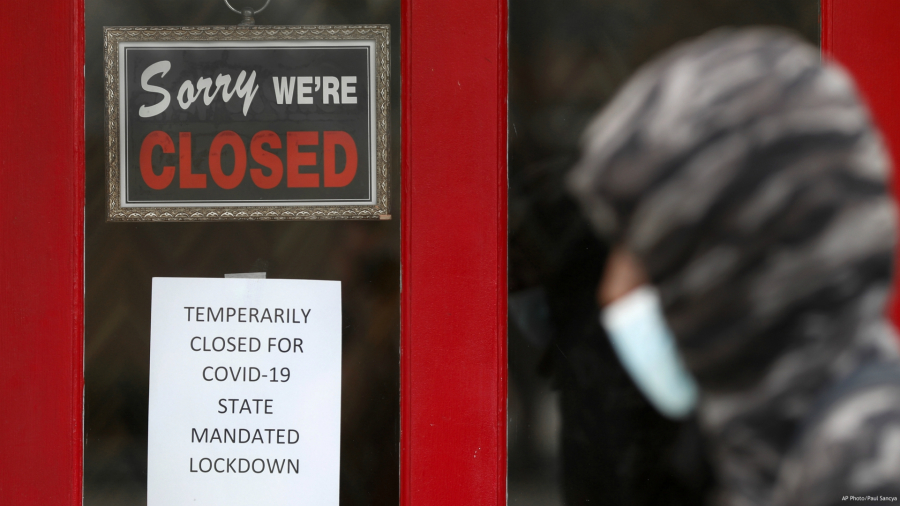
Many businesses are still closed due to COVID.

Communicating effectively on-camera is challenging for groups

In case you did not read the last blog or watch the video let’s start with the hard truth first – it is challenging to communicate effectively on-camera, especially in group settings. Three common scenarios happen during many video meetings that can create communication challenges.

  1. Awkward: someone said something completely inappropriate (e.g., yelled at their kids) that everyone heard. What do you do next?
  2. Boredom: no one is talking because they are distracted and not paying attention. Hard to get stuff done if everyone is zoned out.
  3. Confusion: multiple people talking at the same time. Hard to hear much less understand what is being said when this happens.
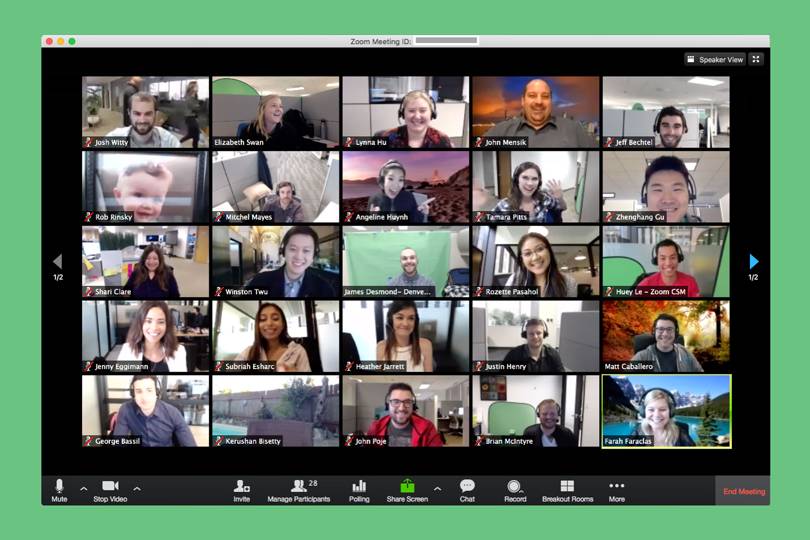
The bigger the meeting the more problems you will experience.

What can you do to improve your performance during video conference calls?

Many leaders, including myself, wonder how do I get better at video conference calls? The last thing that any of us want to do is look stupid in front of others. We can ill afford a meeting full of awkward moments. I already shared the most practical tip I can give you to be better on-camera is to turn on your camera as much as possible. Now I will provide another practical tip for a successful video conference call. There is an easy way for you to avoid awkward gaffes. I will convince you that the mute button is your friend. Simply put – better to be on mute than caught in an awkward “hot mike” moment. Trust me – you will thank me later.

The mute button is your friend.

Spend a lot of time on mute

The mute button is there for a reason. Don’t ignore it. Make the mute button your best friend during video conference calls. My main advice is to start every meeting on mute and remain in that mode until it is time for you to talk. When you are ready to make a brilliant comment of meaningful contribution to the meeting, go off mute, say your piece, and then return to mute. Don’t leave your microphone open. Mute it. Five simple steps to follow – listen, think, click, talk, and press. Here they are in order again:

  1. Listen to the meeting while on mute.
  2. Think about what you are going to say.
  3. Click on the mute button to turn on your microphone.
  4. Talk clearly and concisely into your microphone.
  5. Press the mute button and keep listening.
Unmute when you are ready to talk.

Use the mute button to avoid embarrassing moments

If you spend a lot of time on video conference calls, you have most likely witnessed someone say something inappropriate that everyone on the call heard. Perhaps that has happened to you. It might be a minor misstep like answering another call or talking to someone else who is not part of the meeting. Let’s say one of your kids comes into your office to ask a question, and you answer with the mute button off. Everyone gets to hear the answer. Hopefully, it is something trivial like what is for dinner.

Kids can be a distraction during a video conference call.

It is difficult to recover from a major gaffe

A much worse scenario is if you or someone says something provocative that no one should hear. Dropping an “F-bomb”, or remarking that someone in the meeting is an idiot. or that what your boss just said is the stupidest idea you have ever heard are good examples of major gaffes. Each could lead to problems for you…really big problems. In fact, I know leaders who lost their jobs for saying something stupid for all to hear. They played with fire and got burned. Use the mute button to avoid embarrassing moments. No one can hear you if you are muted. Plain and simple solution.

Don’t drop an F-bomb. Everyone will remember it.

You can recover easily from the talking into the mute button

Some of you are still not convinced. You are thinking, but what if I forget to come off of mute when it is my turn to talk. If you are like me, you have probably spoken while still on mute many times before. We all do it at some point in time. No big deal. No one is perfect when it comes to video conference calls, and I don’t think meeting participants expect perfection. Once you realize your error – correct it. Simply apologize for being on mute and repeat what you said originally. Sure it may be somewhat annoying to other meeting participants. But, I would much rather deal with this situation than try to correct the previous example we just walked through.

It is easy to forget to unmute when on a call.

Help others who forget to click on the mute button

Sometimes other participants will forget to use the mute button appropriately. What should you do if someone else is trying to talk and he forgot to unmute? Help the person out. Simply say – I cannot hear you. You may be on mute. What about the opposite situation – they are talking about something inappropriate and should be on mute? Many video conference tools will let you mute a participant. In fact, Microsoft Teams allows you to mute anyone and everyone on the call, even at the same time if you need to. Sounds extreme – I know. However, this functionality may be useful when starting a large meeting, everyone is chatting, and you are not sure how to get their attention. Trust me – they will recognize it is time to pay attention when you mute another user. I know because it has happened to me before.

You may have to mute other participants if they are not paying attention.

Last words of warning

It is worth noting that you should check every now and then during a long meeting to make sure you are still on mute. The worst thing that can happen is that you press the unmute button without knowing it and say something stupid. The scenario may not sound likely, but I have heard it happen many times. Remember – everyone will hear it, and you cannot “erase the tapes’. My last words of warning are to treat your microphone like it is always on, even after you hit the mute button. The most prudent method for avoiding a “hot mike” situation is to not say anything inappropriate ever while you are on a video conference call. Stay silent. It may save you all kinds of headaches down the road.

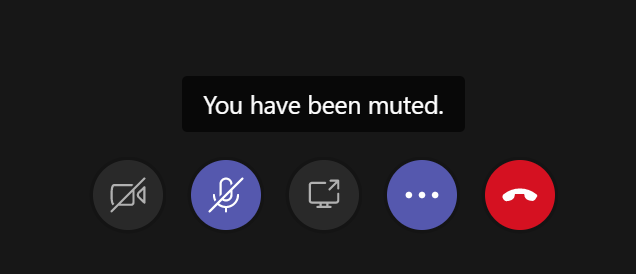
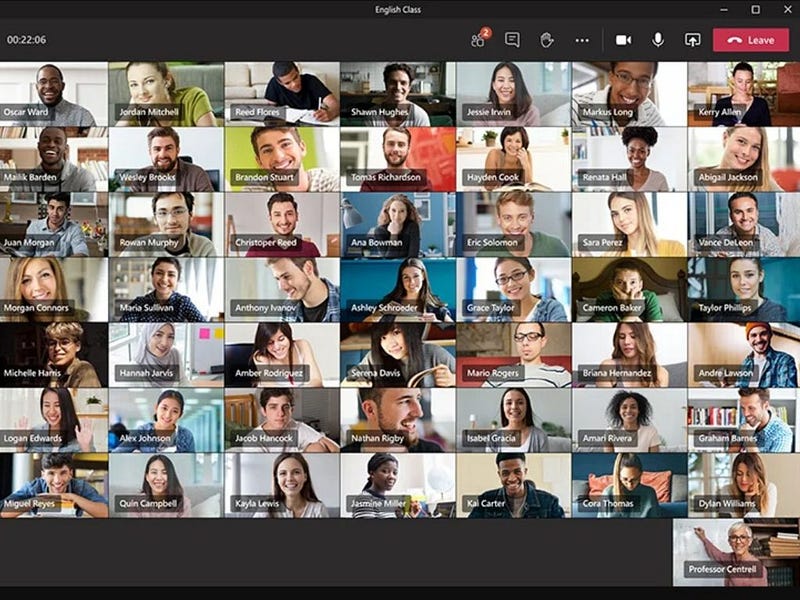
Microsoft Team allows you to mute and unmute participants as needed.

ATW! is designed to make you a better leader

I hope you join me on this journey to raise up the next generation of leaders. The world is in desperate need of more great leaders. Women and men who lead with confidence, clarity, and creativity. It’s time to become the leader that your world needs. Let’s go All The Way!
All The Way Leadership!

The most practical tip to be better live, on-camera

Leaders are on camera a lot more these days. The global COVID crisis impacted practically every organization in the world. Most stores, offices, and other places of work closed their doors over the past few months. Millions of employees are working from home these days and participating in a lot of video teleconference calls. As a result, many more leaders spend hours on video calls – talking with their teams, meeting with their customers, and engaging with their stakeholders. It is becoming more important than ever that leaders communicate effectively live, on-camera. If they do not, it could negatively impact their performance.

The COVID crisis is changing how leaders communicate.

Communicating effectively on-camera is challenging

Leaders, let’s face the hard truth upfront – it is challenging to communicate effectively during a video call. Three reasons explain why this mode of communication can be daunting for leaders. First, you must understand the technology. Technical difficulties will ruin your day if you are clueless. Second, others can see you up close, and personal. Some of us (I fall into this category) have a face for radio, not the camera. Third, it is easy to get distracted, especially if you are on a laptop computer or phone. Trust me – if you are distracted, you can bet others are as well.

Make sure you are proficient with the technology.

What can you do to improve your performance on-camera?

Many leaders, including myself, wonder what can I do to improve my performance on-camera? How do I get better at this critical communication skill? The last thing that any of us want to do is look stupid in front of others. We can ill afford a stumbling and bumbling performance. The simple solution to this challenge – practice. The most practical tip I can give you to be better live, on-camera is to turn on your camera as much as possible. Don’t hide from this challenge.

Get comfortable being on camera.

It takes twenty hours of practice on-camera to get proficient

According to Josh Kaufman’s TED talk (viewed over 20 million times) – it takes roughly twenty hours to learn anything new. Communicating live, on-camera is a brand new skill for many leaders. Before COVID – participating in teleconference calls was more the norm, than video teleconference calls. The new normal is here. I am convinced that from now on, leaders will be expected to communicate live, on-camera a lot more than in the past. It is a reality that we leaders all face. Take it head-on by turning on your camera as much as possible so that you can become comfortable communicating during video calls. Start practicing – it will take twenty hours.

People want to see their leaders

Some of you remain unconvinced. You are asking – why in the world should I turn on my camera? You are thinking – I am horrible at communicating via a video camera, and no one wants to see me. Dismiss those thoughts. People want to see their leaders, and you should want that kind of visual interaction with your team, other leaders, and stakeholders. Remember this, according to several studies, non-verbal communication is as important as verbal communication when engaging others. Body language and facial expressions alone can communicate how you feel about a topic.

The most important thing in communication is to hear what is not being said.

Peter Drucker, leadership expert and management guru

You will get better with practice

Turn your camera on as much as possible. Practice, practice, practice. Based on my own recent experience, you will get better over time. We all know leaders who are awful on-camera. They are nervous, and so is everyone else. It is difficult to watch, much less pay attention to a leader who cannot communicate well on camera. I bet you he does not practice and does not turn on his camera unless there is no alternative. Some of us are lucky enough to know leaders who are excellent on-camera. She communicates effectively with her stakeholders. Everyone enjoys participating in her meetings. The latter leader will have a distinct advantage over the former in the future. Be that kind of leader – you can do it.

Several leaders are standing out during the COVID crisis.

Don’t turn your camera on all of the time

Let me finish by pointing out that it is not always appropriate for you to turn on your camera. At times, it is prudent to avoid being “caught on camera” in an awkward situation. Three simple examples come to mind.

  1. You are in a place full of visual distractions – if you are working from home with your kids or pets running wild nearby. Don’t turn on your camera, unless you want to risk an embarrassing situation.
  2. You are driving – stay safe on the road. Keep your eyes on the road, not on your phone, or laptop. Don’t ever turn on your camera while you are in the car unless it is parked, or someone else is driving.
  3. You are late to the meeting – no one walks into a normal meeting and deliberately causes a major disruption by bringing attention to themselves. Don’t make the same mistake by arriving late with your camera live. Instead, join and decide what makes the best sense.
Kids are cute, but not during important business meetings.

ATW! is designed to make you a better leader

I hope you join me on this journey to raise up the next generation of leaders. The world is in desperate need of more great leaders. Women and men who lead with confidence, clarity, and creativity. It’s time to become the leader that your world needs. Let’s go All The Way!

Turn your camera on as much as possible.

All The Way Leadership!

More lessons learned for how to communicate clearly

I was running behind schedule. I hate being late, especially to my own meetings. A business lunch with a colleague took longer than expected. A horrible reason for being tardy. I ran to my car and dialed into the meeting. My entire team was on the line waiting for me to join. I apologized profusely for not showing up on time. I expect members of my leadership team to be punctual, and hold me to the same standard. My military experience factors into my leadership expectations. If you are not ten minutes early, then you are late is one of the many lessons learned from my military days.

Give the people you work with or deal with or have relationships with the respect to show up at the time you said you were going to. And by that I mean, every day, always and forever. Always be on time. It is a simple demonstration of discipline, good work habits, and most importantly respect for other people.

Anthony Bourdain

Things went from bad to worse

I gave my opening remarks to kick off the meeting. It took me longer than usual. My nerves were getting the best of me. “Let’s start” I finally said. Then I heard silence. No one spoke at all. I looked down at my phone and noticed that I was no longer connected. I was talking to no one. Damn – not my day. I dialed back into the meeting. By now we were running ten minutes behind schedule which is inexcusable. Once again, I apologized to my team. They could tell by the tension in my voice that I was frustrated.

Make sure your team can hear you on conference calls.

Learn from your mistakes to avoid repeating them

The first presenter jumped in right away to start the meeting. He did an excellent great job getting us back on track. The rest of the meeting went fine. Most of my team members forgot about my performance. I did not. I needed to learn from my stupid mistakes that day. With that thought in mind, I want to share more lessons learned for how to communicate more clearly. In case you missed it – the first lesson is simple. Show up on time. Don’t leave your team waiting impatiently for your arrival.

Don’t leave your team waiting for you.

Lessons Learned #2 – Provide insights to your team about your communication style

As a leader, you have a certain communication style. All leaders do. I recommend that you provide insights to your team about your communication style. How do you prefer to interact with them? Let them know so that they are prepared. For example, I used to host a weekly leadership call every Friday morning. It was a virtual meeting. I would send out a slide packet beforehand. I used the slides to guide our discussion. It also provided information to anyone who could not make the meeting. They would send me an email letting me know they could not attend and review the charts on their own. The system seemed to work well for everyone.

Many meetings are virtual these days.

Other leaders have their own communication style

My weekly meeting was short – only 30 minutes. Typically, I would talk for the first half, answer questions, and then we would go “around the horn” so that every team member was able to contribute to the conversation. My team knew the deal, and it worked well. Other leaders I know would never use slides for a team meeting. They hate slides. They prefer an open-ended conversation – which is fine. There is no right answer – you need to figure out what works best for you. Then, communicate it to your team.

Some leaders prefer no slides at meetings – just conversation.

Lessons Learned #3- Know your boss’ communication style

Your boss possesses a communication style. It is important that you know it. I worked for many leaders over the years, and they all had their own communication styles. It was particularly true when it came to receiving status updates. I worked for several who were fine with “drive-by” interactions. The ones where you simply show up and give a quick update without coordinating a meeting time in advance. Others closely followed their calendars. They only met and communicated at pre-arranged times. Once I gave a drive-by update to a boss who only met with others who were on her calendar. That was a mistake. One of the shortest, and worst meetings of my life. She kept looking at me like there was something wrong with me. There was. I didn’t understand her communication style. Stupid mistake on my part. I never did another drive-by with her.

A hallway conversation is sometimes the best way to catch up.

Lessons Learned #4 – Ask for feedback, especially on conference calls when you cannot see anyone

Conference calls are challenging, especially with large groups. If you are leading one make sure you ask for feedback from participants at appropriate times. The reason to ask for participants to chime in is a practical matter. You want to answer three basic questions.

  • Can they hear you? Perhaps you are on mute, have a bad connection, or dropped from the call. Easy to do, especially in your car.
  • Are they paying attention? It is easy to get distracted, or multi-task. The longer the meeting, the more important it is to ask for feedback.
  • Do they understand what you are saying? See if they have any questions or feedback to offer. Silence is not concurrence. It may be a sign your audience does not understand you.
Video conferencing is becoming the new normal.

Video teleconference calls (VTCs) are not much different than conference calls although there are a few more things to consider. I plan on discussing best practices and lessons learned for video teleconferencing in upcoming blogs. It is a timely topic given the current health crisis with many of us working from home these days.

Wise men speak because they have something to say; Fools because they have to say something.

Plato

Bottom line – think before you open your mouth to speak

I love the quote from Plato. It is a great reminder that what you say as a leader is important. Your team and stakeholders are listening. Don’t disappoint them by saying something stupid. Don’t be a foolish leader. Instead, take the time to think about what you are going to say beforehand. Not after. When in doubt. Don’t say anything. It is usually better to hold your tongue than to insert your foot into your mouth. Trust me. I know from personal experience that your words can get you into trouble. Look around and you will see way too many leaders violating this principle.

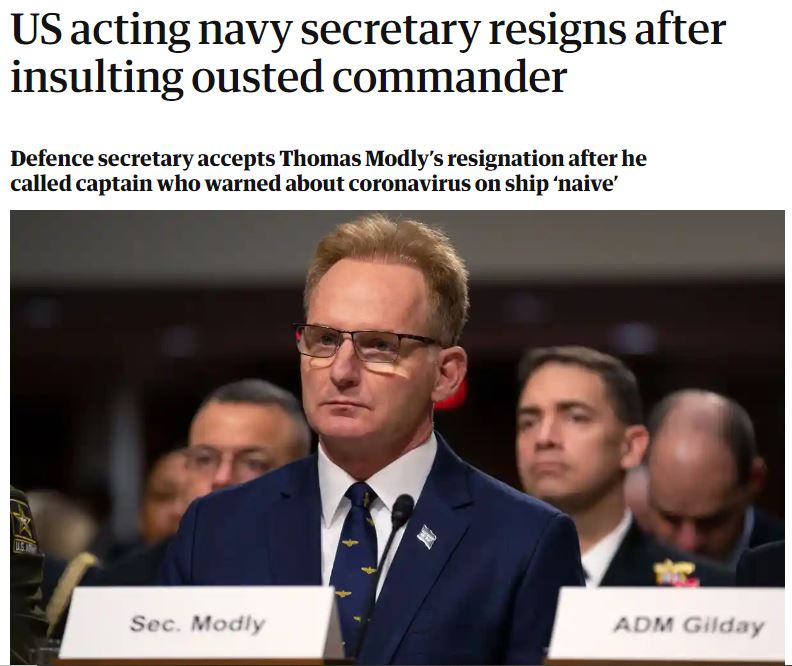
He should have thought before speaking to the crew. It cost him dearly.

ATW! is designed to make you a better leader

I hope you join me on this journey to raise up the next generation of leaders. The world is in desperate need of more great leaders. Women and men who lead with confidence, clarity, and creativity. It’s time to become the leader that your world needs. Let’s go All The Way!
All The Way Leadership!